The best email countdown timer tools in 2026
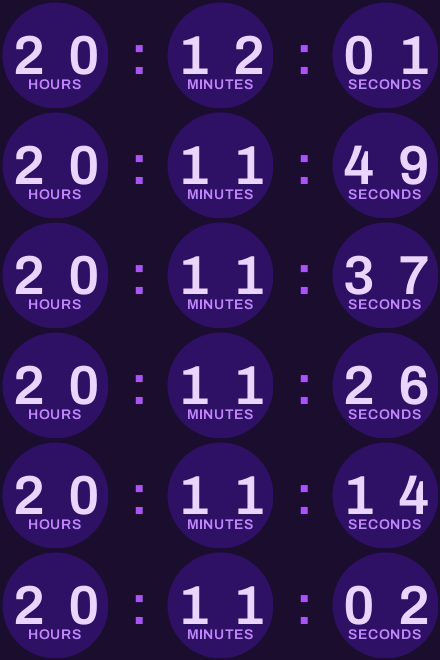


The best email countdown timer tools in 2026 are flashtimer, Sendtric, CountdownMail, NiftyImages, MotionMail, MailTimers and PicTimer, plus the built-in timer some email platforms, such as Omnisend, now include. They all produce the same basic thing, a live GIF that shows the real time left when the email is opened. The differences are in free allowances, per-recipient timer types, Apple Mail handling, integrations and price per view.
We make flashtimer, so it's listed first. We've tried to be fair to everyone else: every competitor fact below comes from that company's own website, checked October 2026. Prices change, so confirm on the vendor's pricing page before you buy.
What to look for in an email countdown timer tool
Every tool on this list renders a timer that works in Gmail, Apple Mail, Yahoo and the new Outlook, and shows a still first frame in classic Outlook for Windows (the first frame is accurate at opening; it just doesn't tick). So compare them on the things that actually differ:
- Monthly views. Every open of an email with a timer is one view. A 50,000-subscriber list with a 40% open rate and some reopens uses more than 20,000 views per send.
- Watermark. Several free plans add the tool's branding to the timer.
- Timer types. Fixed deadlines are universal. Evergreen (per-recipient, from first open), dynamic (per-recipient date), recurring and looping timers vary by tool and plan.
- Apple Mail handling. Apple Mail Privacy Protection loads images when the email arrives, so a timer can show stale time. Some tools let you show Apple Mail a substitute.
- Integrations. Every tool works by pasting an image URL or HTML. Some can also insert the timer into your email platform for you.
- Design range. Layouts, fonts, flip or motion styles, transparent backgrounds, labels in other languages.
flashtimer
What it is: a live countdown timer tool for email, with seven timer types, AI-assisted setup and one-click insertion into 20 email platforms.
Pricing (USD per month, excl. VAT): Free $0 with 20,000 views and 3 active timers. Basic $9 (150,000 views), Pro $35 (1,000,000 views), Business $69 (3,000,000 views), Enterprise through sales.
Strengths:
- Timer types: fixed, evergreen (starts on open or on send), dynamic per-recipient dates, recurring daily/weekly/monthly cut-offs, cycle and count-up. Evergreen, recurring, cycle and count-up start on Basic; dynamic on Pro.
- Three ways to create a timer: describe the sale and let AI draft it (Basic and up), the editor with multiple layouts and brand colors, or the REST API and MCP server (Pro and up).
- One-click insertion into draft campaigns in Klaviyo, Mailchimp, HubSpot, Kit, Brevo, ActiveCampaign and others (Pro and up), and the platform's per-recipient merge tag added to evergreen timers where the platform has one.
- Shopify and WooCommerce promotion sync on Pro: discounts and sale dates become timers and stay in sync.
- Apple Mail options on Pro: show Apple's early fetch a fixed message, your fallback image or nothing instead of a countdown that could be stale.
- Labels in several languages, or picked per reader. A/B tests of timer designs on Business.
Limitations: the free plan has a small flashtimer mark and 3 active timers. One-click integrations, store sync, Apple Mail options and dynamic timers need Pro. There's no flip-clock or motion style, and no Shopify App Store app; Shopify Messaging (formerly Shopify Email) users paste the HTML snippet into a Custom Liquid section.
Best for: e-commerce teams on Klaviyo, Shopify or similar who want per-recipient timers and store sync without copying URLs around.
Sendtric
What it is: a countdown timer tool that has grown into a wider set of live email widgets, including polls, weather and rule-based images.
Pricing (from sendtric.com/pricing): Free with 10,000 views a month, no watermark unless you go over 10,000. Paid plans as shown billed annually: Micro $8.25 a month (150,000 views a month), Standard $35 a month (1,000,000), Power $62.50 a month (5,000,000), Enterprise custom.
Strengths: a generous free tier with no watermark up to its limit. Start-on-open (evergreen) timers and an Apple Mail hide option from Micro; motion and vertical timers, transparent backgrounds and expiry images from Standard; start-on-send timers and Apple Mail fallback options on Power. 900+ fonts on paid plans. Polls, weather and image personalization in the same account.
Limitations: per the pricing page, uploaded custom brand fonts and multi-language timers are Enterprise-only, and the free plan has one default font and no analytics.
Best for: senders who want timers plus polls and weather widgets, and are happy to pay annually.
CountdownMail
What it is: one of the longest-running timer generators (its footer dates from 2016), focused on fixed, evergreen and dynamic timers.
Pricing (from countdownmail.com/pricing): the pricing page lists a Free plan with unlimited views and paid tiers of 100,000 (Starter), 500,000 (Boost), 1,000,000 (Growth), 3,000,000 (Pro) and 10,000,000 (Enterprise) views a month. Its FAQ says free timers carry a small "Powered by CountdownMail" badge and paid plans start at $7 a month to remove it. As shown to a US visitor, paid plans run from $7 (Starter) to $199 (Enterprise) a month, VAT included; our CountdownMail comparison lists every tier.
Strengths: unlimited free views, which is unusual. Evergreen and dynamic (URL-supplied end date) timers, looping timers, custom fonts, motion (flip) timers, dynamic links, an API, credits that roll over, and an "Apple Mail fix" that hides timers for Apple Mail readers. A 30-day money-back guarantee.
Limitations: the badge on free timers. Its plan cards list the same features for every tier, so check which features your tier actually includes before you rely on one.
Best for: high-volume senders on a tight budget who can accept a small badge, or who want a low-cost paid tier.
NiftyImages
What it is: a personalized email image platform. Countdown timers are one feature among many: personalized images, polls, scratch cards, charts, calendars and live data.
Pricing (from niftyimages.com/pricing): no separate free plan; the pricing page says Starter through Scale can be tried with free images, with no time limit or card, but doesn't list the limits. Starter $59 a month, Growth $149 and Scale $239, each shown at 25,000 opens a month, plus Enterprise. Annual billing saves 20%.
Strengths: the broadest personalization set on this list. Polls, scratchers, charts and calendars on Growth; rule sets and A/B split tests on Scale; external data sources and a developer API on Enterprise. Works with Klaviyo, Mailchimp, Salesforce, Bloomreach, Braze, Iterable and ActiveCampaign by image URL.
Limitations: the most expensive way to get just a countdown timer, with a low open allowance at the entry price.
Best for: larger brands and agencies that want timers alongside wider image personalization, with budget to match.
MotionMail
What it is: a straightforward countdown timer builder. Mailchimp's own countdown timer guide names it, alongside Sendtric and CountdownMail, as a third-party option.
Pricing (from motionmailapp.com): Free with 20,000 views a month. Bootstrap $10 a month (100,000 views), Startup $60 (700,000), Enterprise $200 (2.8 million). Annual billing saves 20%.
Strengths: simple to use, four timer designs, brand colors and fonts, and the ability to edit the timer after sending. Labels translated per recipient on paid plans.
Limitations: the free plan carries MotionMail branding, and its help center puts evergreen (per-recipient) timers on Startup ($60 a month) and Enterprise only.
Best for: small teams that need a clean fixed-deadline timer and nothing more.
MailTimers
What it is: a timer generator with a high free allowance. Klaviyo's help center article on adding a countdown timer names it as an example tool, since Klaviyo has no built-in timer.
Pricing (from mailtimers.com/pricing): Free with 100,000 views a month. Paid tiers of 150,000 (Startup), 450,000 (Startup +), 1,200,000 (Business), 3,600,000 (Corporation) and 10,000,000 (Holding) views a month, from $9.95 a month for Startup, taxes included, as shown to a US visitor; our MailTimers comparison lists every tier.
Strengths: one of the largest capped free allowances on this list, at 100,000 views a month. Custom fonts, plus credits that roll over from Business and local time zone detection from Corporation.
Limitations: per the pricing page's notices, free timers can run for at most 30 days, evergreen and animated timers need a premium plan, background images need Startup + and motion timers need Business.
Best for: senders with large lists and short, fixed-date campaigns who want to stay on a free plan.
PicTimer
What it is: a timer tool with five styles, including a flip clock, and a focus on evergreen and recurring timers.
Pricing (from pictimer.com/pricing): a free trial with 5,000 views. Entry $9 a month (150,000 views), Growth $29 (750,000), Scale $69 (3,000,000). Annual billing saves 20%.
Strengths: evergreen and recurring timers and no watermark from Entry; analytics and an API from Growth. Five styles: boxes, circles, flip clock, minimal and tick marks.
Limitations: the free option is a trial-sized allowance rather than an ongoing plan for regular sending.
Best for: teams that want a flip-clock look and evergreen timers at a low entry price.
Timers built into email platforms
Before you add a separate tool, check whether your email platform has one built in.
- Omnisend has a native countdown timer block on its Standard and Pro plans, according to Omnisend's help center. You can set the end date and time, choose the format, font and color, add alt text and replace the fallback image shown at the end. It uses one fixed end date for everyone in your store's time zone; for per-recipient timers, Omnisend points to a third-party timer in an HTML block.
- Klaviyo has no built-in timer. Its help center says so directly and recommends a third-party tool.
- Mailchimp's countdown timer guide recommends third-party tools rather than a built-in block.
A native block is the quickest option for a single fixed-date sale. A dedicated tool is the better choice when you need evergreen or dynamic timers, Apple Mail handling, more design control, or the same timer across several platforms.
How to choose
- You only need fixed-date timers and want free: MailTimers (100,000 views, timers up to 30 days), Sendtric (10,000 views, no watermark) or CountdownMail (unlimited views with a badge).
- You're on Omnisend and run one sale at a time: start with Omnisend's built-in block.
- You want polls, weather or other widgets too: Sendtric, or NiftyImages for a wider personalization set.
- You want a flip-clock style: CountdownMail's motion timer, Sendtric's motion timers (Standard) or PicTimer.
- You need per-recipient deadlines, store sync and one-click insertion into your email platform: flashtimer.
Whatever you pick, the same email countdown timer best practices apply: real deadlines, text fallback, alt text and testing.
FAQ
What is the best free email countdown timer?
It depends on your volume and whether you mind branding. MailTimers' free plan offers 100,000 views a month with timers of up to 30 days. CountdownMail lists unlimited free views with a small badge. Sendtric gives 10,000 views without a watermark, and flashtimer 20,000 views with three active timers and a small mark.
Do email countdown timers work in every email client?
They show in every client that loads images, because they're animated GIFs. They animate in Gmail, Apple Mail, Yahoo, Outlook on the web, Mac and mobile, and the new Outlook for Windows. Classic Outlook for Windows shows only the first frame, which is accurate at opening but doesn't tick.
Which countdown timer tools support evergreen timers?
On their own sites, flashtimer (Basic and up), Sendtric (start-on-open from Micro), CountdownMail, MotionMail (Startup and Enterprise), MailTimers (premium plans) and PicTimer (Entry and up) all list evergreen timers. Omnisend's built-in timer describes fixed deadlines only. Evergreen timers need your email platform's per-recipient merge tag in the image URL.
Does Klaviyo or Mailchimp have a built-in countdown timer?
No. Klaviyo's help center says it doesn't have a built-in countdown timer and recommends a third-party tool. Mailchimp's countdown timer guide points to third-party tools as well. Both work with any timer tool through an image block or an HTML block.
How many views do I need for an email countdown timer?
Each open of an email containing the timer counts as one view, including reopens. Estimate list size times your open rate, add a margin for reopens, and multiply by the number of sends per month. Apple Mail Privacy Protection loads images on delivery, which can add views for emails nobody opened.
Can I switch countdown timer tools later?
Yes. Timers are image URLs, so switching affects only future emails. Emails already sent keep loading timers from the old tool for as long as your account there is active, so keep it until those campaigns have ended.
Try flashtimer
If per-recipient timers, Apple Mail handling or one-click insertion into your email platform matter to you, try flashtimer on the free plan first. Start free — no card.