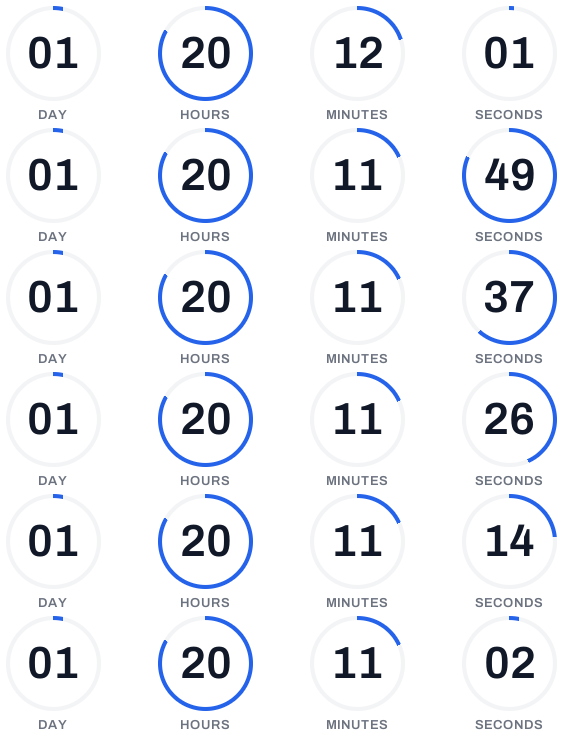
Step by step
Set up a holiday shipping deadline countdown
Work out your real last-order date
Start from your carrier's last recommended ship date for each service you offer, then subtract your own picking and packing time. If USPS Priority Mail's date is Friday, December 18, and you need a day to dispatch, your standard-shipping cut-off is Thursday, December 17 at your warehouse's closing time.
Create a fixed timer for each cut-off
Make a fixed timer for each deadline you'll promote, such as standard shipping and express shipping, in your warehouse's time zone. Duplicate the first one so they share a style. For your everyday dispatch promise, create a recurring timer instead (Basic and up), for example daily at 2pm in America/New_York.
Plan what shows after the cut-off
Set an expiry message such as “Christmas delivery cut-off has passed” or, on Basic and up, upload a fallback image that points to your next option: express shipping, click-and-collect, or gift cards delivered by email. A late opener still gets a useful answer.
Embed it in your holiday emails
Paste the image URL or HTML snippet into your gift guide, reminder and last-call emails, and into transactional or browse-abandonment emails if your platform allows. On Pro and up, connected platforms such as Klaviyo, Mailchimp or HubSpot get the timer inserted into a draft campaign for you.
Test the time zone, then send
Open a test email and check the countdown matches the cut-off you calculated, in the time zone you chose. Confirm the text says the same date and time, for example “Order by Thursday, Dec 17 at 5pm ET for Christmas delivery”, and that classic Outlook shows a sensible first frame.
2026 holiday shipping deadlines to plan around
Christmas 2026 is on a Friday. According to the USPS 2026 holiday shipping dates, the recommended send-by dates for delivery by December 25 within the contiguous US are December 17 for USPS Ground Advantage and First-Class Mail, December 18 for Priority Mail and December 19 for Priority Mail Express. Alaska, Hawaii and international addresses have earlier dates.
FedEx and UPS publish their own holiday schedules, and their ground deadlines depend on the transit time between your warehouse and the customer, so a single “last day” rarely applies to every order. Check the current dates on each carrier's site before you set your timers; carriers sometimes adjust them during the season.
Then add your own handling time. A recommended ship date is when the parcel must be with the carrier, not when the customer must order. If you need 24 hours to pick and pack, your customer-facing cut-off is a day earlier.
A shipping cut-off email sequence for December
Delivery speed matters at checkout. In the Baymard Institute's checkout research, 20% of US online shoppers who abandoned an order said delivery was too slow. A clear cut-off answers “will it arrive in time?” before they ask. A sequence for standard shipping might look like this:
- About 10 days before the cut-off. Gift guide with the timer near the top. Subject: “Order by Dec 17 for Christmas delivery”.
- 3 days before. Reminder. Subject: “3 days left to order for Christmas”.
- Cut-off morning. Last call, short email, timer first. Subject: “Last day for Christmas delivery: order by 5pm ET”.
- Day after. New timer to the express cut-off, or a gift card email. Subject: “Still time with express shipping”.
Daily “order by 2pm for same-day dispatch” timers
A recurring timer resets on a wall-clock rule in the time zone you choose: daily at 2pm, weekly on Friday at noon, or monthly on a set day. It never ends, so the same timer works in your welcome flow, order confirmations and newsletters all year. A reader who opens at 11am sees three hours to go; at 3pm, they see the countdown to tomorrow's 2pm.
The rule is time-zone aware and handles daylight saving changes, so “2pm in Europe/London” stays 2pm through the clock change. A daily rule runs every day, including weekends, so if you don't dispatch on Saturdays and Sundays, say so in the text next to the timer. Learn more about recurring countdown timers for daily cut-offs.
Because a recurring timer never ends, it never shows an expiry message or fallback image. For the Christmas cut-off itself, use a fixed timer.
Different cut-offs for different regions
If you ship from more than one warehouse or to several countries, cut-offs differ. The simplest setup is one fixed timer per region and one email per region segment: a US list that counts to your US cut-off, a UK list to your UK date, each in its own time zone.
If each customer's cut-off is already stored on their profile, a dynamic timer (Pro and up) can count to that date per recipient: the image link carries the date through your platform's merge tag, for example ?end= followed by the profile field. One email then shows each reader their own deadline. See personalized countdown timers that end on each recipient's date.
After the deadline: keep the email useful
Holiday emails get opened long after they are sent. Once the cut-off passes, the timer shows your expiry message or fallback image instead of zeros. Use it to send people somewhere useful: express shipping while it's still possible, in-store pickup, or an e-gift card that arrives instantly.
If you need to move a cut-off, because a carrier changes a date or your warehouse adds a shift, change the deadline on the timer. Every email already in inboxes shows the new time on its next open.
Shipping countdowns in Gmail, Apple Mail and Outlook
The timer renders when the email is opened, so it works anywhere images show: Gmail, Apple Mail, Yahoo and Outlook on the web, Mac and mobile. Classic Outlook for Windows (2007–2019, and newer versions with Windows animations turned off) shows only the first frame, which is the correct time left when opened but doesn't tick. Apple Mail Privacy Protection pre-fetches images. By default those loads get the live countdown as it stood then; on Pro and up, Apple Mail options can show them a message, your fallback image or nothing instead, so cached opens never show a stale time.
Always restate the date and time in the email text. Running other December campaigns too? See the Black Friday countdown timer plan and our flash sale preparation guide.
Questions
Answered before you ask.
Keep reading
- ExampleLast shipping day email example: order in time for ChristmasA last-posting-day email for an independent bookshop, with a countdown that turns into a New Year delivery message once the Christmas deadline has passed.
- Recurring timersRecurring countdown timer that resets on your schedule, foreverA recurring countdown timer that resets daily, weekly or monthly in your time zone, DST included. One URL that never expires. Try it free with flashtimer.
- Dynamic timersPersonalized countdown timer email: every reader counts to their own dateSend a personalized countdown timer email where each reader counts down to their own date: trial end, renewal or appointment, from a merge field. Try it free.
- Black Friday & Cyber MondayBlack Friday countdown timer email: the 2026 playbookPlan your Black Friday countdown timer email for 2026: teaser, launch and last-chance sends, Cyber Monday timers and fallbacks after the sale. Start free.
- Flash salesFlash sale countdown timer email: run a 24–72 hour sale that ends on timeBuild a flash sale countdown timer email for 24–72 hour sales: send schedule, subject lines, last-chance resend and timers that update on open. Start free.
- Klaviyo integrationKlaviyo countdown timer for campaigns and flowsAdd a live Klaviyo countdown timer to campaigns and flows, with evergreen deadlines per subscriber via {{ person.KlaviyoID }}. Set it up in minutes. Start free.