
Step by step
How to brand your countdown timer
Save your brand kit
Under Brand Kit in the sidebar, enter your primary, secondary and accent colors as hex codes and choose your brand font. New timers you create in the dashboard start in those colors, and Create with AI applies them exactly.
Upload your font
Upload your brand typeface as a TTF, OTF or WOFF file. Basic includes 1 custom font, Pro 10, Business 50 and Enterprise 100. On Free, pick from the built-in fonts.
Choose a layout and size
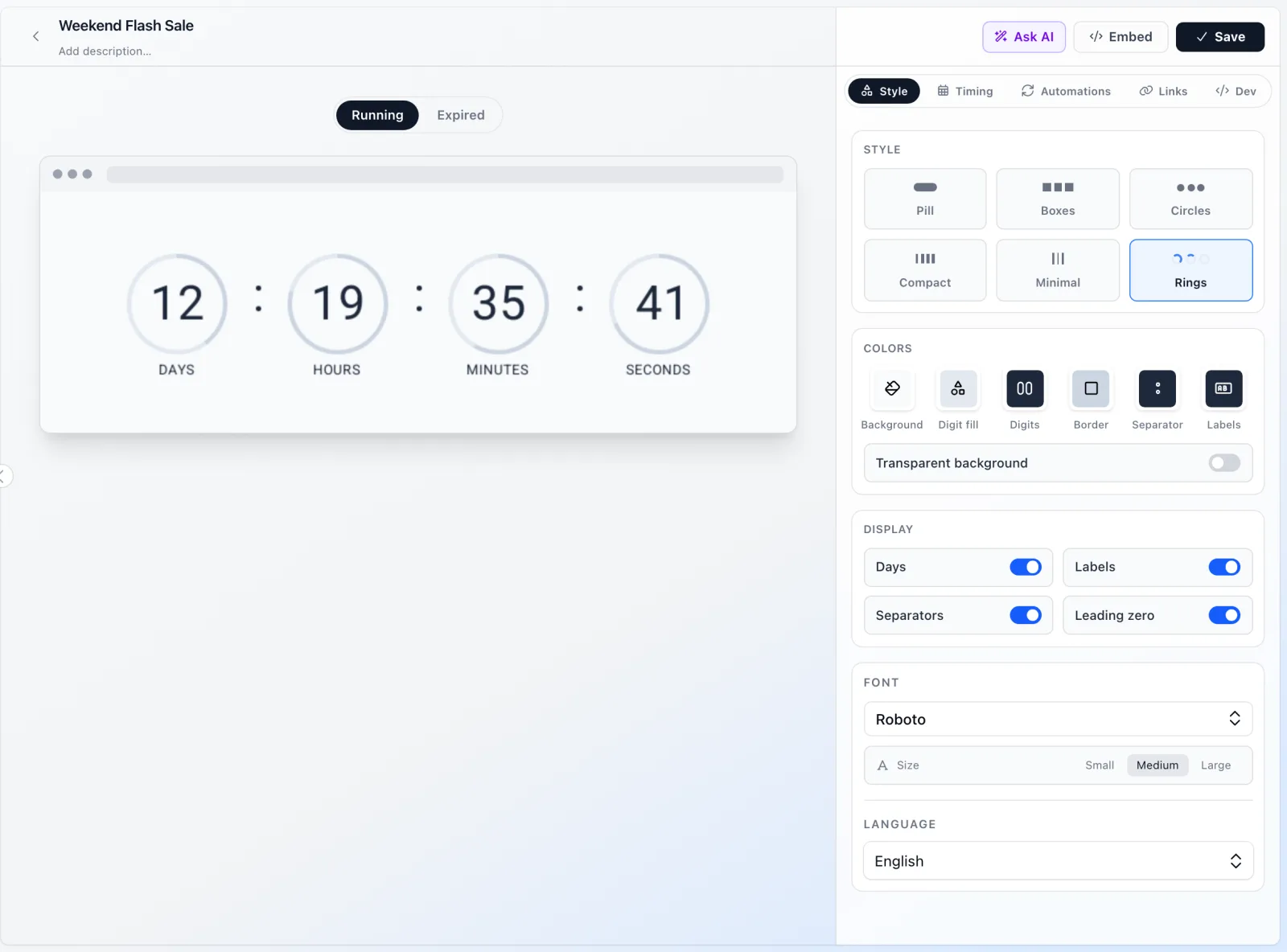
Pick a layout, such as pill, boxes, circles, compact, minimal or rings. Then set the size to small, medium or large to fit your column width.
Fine-tune colors and display
Set the background, digit, digit-block, border, label and separator colors one by one. Show or hide the days, the labels, the separators and leading zeros. The preview is the real GIF your readers will get.
Decide what readers see at the end
Write the expiry message, shown in the timer's own style once the deadline passes, or upload a fallback image (PNG, JPEG or WebP, Basic and up), such as a "Shop the new arrivals" banner.
A layout for every kind of email
Each layout is a different shape for the same live countdown, and each takes your colors and font.
- Pill: digits in rounded capsules, a friendly fit for lifestyle and DTC brands.
- Boxes: digits in square tiles with a border, the familiar sale-banner look.
- Circles: digits inside circles, softer, for beauty, gifting and wellness emails.
- Compact: a tighter arrangement for when the timer shares space with a headline.
- Minimal: digits and labels with little decoration, for editorial and luxury emails.
- Rings: each unit sits in a progress ring drawn in the border color you set, so the time left reads at a glance.
Your brand colors and fonts, exactly
Every color on the timer is yours to set with a hex code: background, digits, the blocks behind the digits and their borders, labels and separators. Save them once in the brand kit and new timers you create in the dashboard start in your palette, so a team of three or ten produces timers that match without a style guide.
Fonts make the biggest difference to whether a timer feels native. Upload the same typeface your headlines use and the digits are drawn in it, inside the GIF, so the font works in every email client, including those that ignore web fonts. Font quotas grow with the plan: 1 on Basic, 10 on Pro, 50 on Business. Check that your font license allows use in images.
Transparent countdown timer GIFs
Turn the background off and the timer sits directly on your hero image, a colored section or a seasonal banner, with no box around it. Transparent backgrounds are included from the Basic plan.
GIF transparency has hard edges, so flashtimer blends the edges of the digits toward a matte color you set: the email background behind the timer. Set it to the color of the section the timer sits on, such as #0B1220 for a navy banner, and the edges stay smooth instead of showing a light halo.
Serve timers from your own domain
On Pro and up, the image URL can live on your own subdomain, such as timers.yourbrand.com, instead of ours. Add one CNAME record at your DNS provider, check it under Settings → Custom domain, and every embed URL, send link and A/B test URL uses your domain once it is live.
Readers who check where an image comes from see your brand. It also keeps your email's links and images on domains you control. Apex domains such as yourbrand.com aren't supported; use a subdomain.
No watermark, and a clean ending
The free plan adds a small flashtimer mark to timers. Every paid plan, from Basic at $9 a month, removes it. See the plan comparison for views and limits per plan.
A branded timer also needs a branded ending. When the deadline passes, readers see your expiry message in the timer's own style, or your fallback image. Readers who open late never see a countdown for an offer that is over, and on Pro you can choose what Apple Mail Privacy Protection's early image fetches are shown, too.
When you're not sure which design converts better, test two of them against each other with a countdown timer A/B test on Business, or keep one look across languages with a multilingual countdown timer.
Questions
Answered before you ask.
Keep reading
- Create with AIAI countdown timer generator: describe the sale, get the timerDescribe your sale in one sentence and the AI countdown timer generator drafts the timer: deadline, colors, layout and copy. Edit by chat. Start free today.
- A/B testsCountdown timer A/B test: find the design your readers act onRun a countdown timer A/B test from one image URL: split readers between two designs, compare views, clicks and CTR, then make the winner permanent.
- LanguagesCountdown timer in multiple languages, from one timerShow a countdown timer in multiple languages: 7 label languages, or each reader's own via your email platform's merge tag, with a deadline right in every zone.
- Shopify integrationShopify email countdown timer for your sales and discountsAdd a live Shopify email countdown timer to Shopify Messaging campaigns, and turn Shopify discounts into timers that update themselves. Start free today.
- PricingSimple pricing for email countdown timersStart free with 20,000 views a month. Upgrade as you grow.