Product drop
Product launch email examples: a sneaker drop that ends when it sells out
A sneaker label's limited drop: 300 pairs, 48 hours. The timer counts down to the end of the drop, and Stock Monitor ends it early if the pairs run out first, so nobody clicks through to a sold-out page.
Free plan · 20,000 views a month · No card
The email
As your readers will see it
Switch to mobile to see how it reflows on a phone, where most of your readers will open it.
KICKLAB
Drop 07 is live. 300 pairs, 48 hours.
KICKLAB <drops@kicklab.studio>
to me
Today
KICKLAB
Drop 07

Pebble
low
- Color
- Sand and white
- Upper
- Suede and leather
- Made in
- Portugal
The drop closes in
 Buy the Pebble low, $180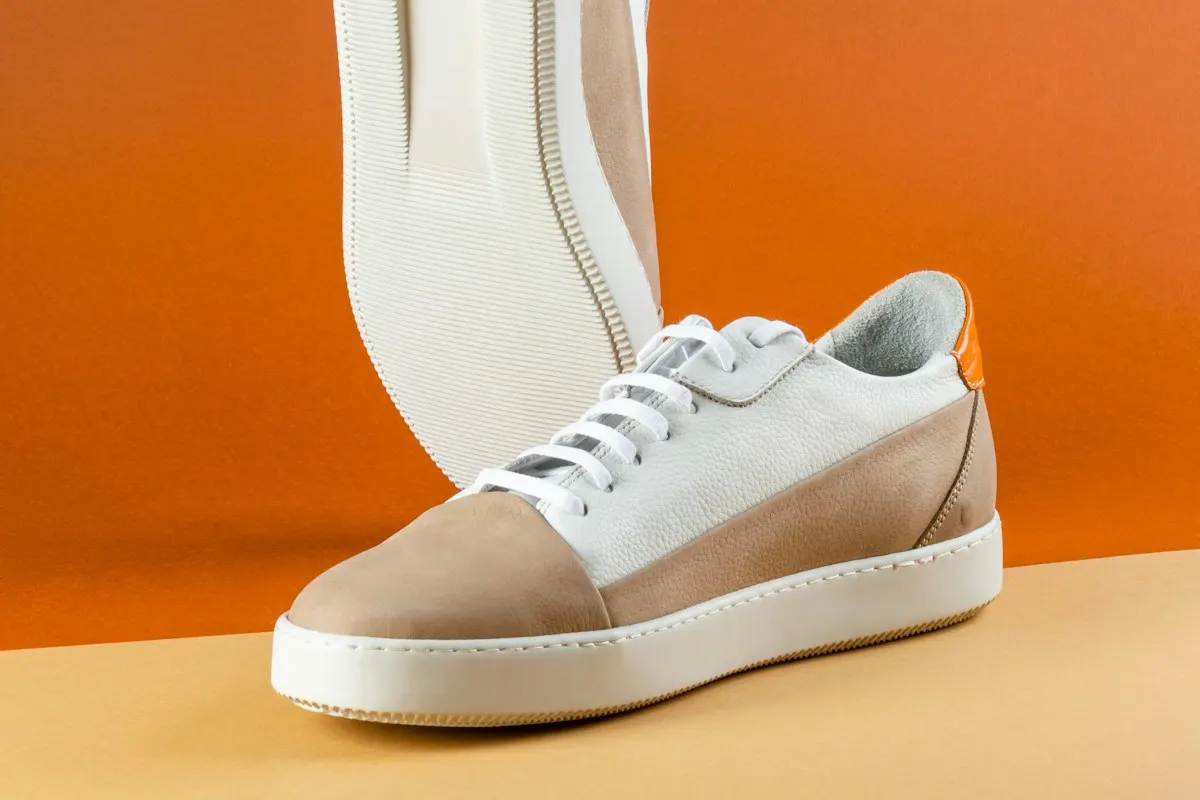
300pairs, ever
48 hor until gone
1pair per order
Kicklab Studio
Rua das Solas 210, Porto, Portugal
You're getting this because you signed up for drop alerts.
UnsubscribeEmail preferencesView in browser
Brands, people and addresses in these examples are fictional. The timers are real, rendered by flashtimer.
Why it works
What makes this email work
- Scarcity you can see. Two numbers, 300 pairs and 48 hours, and a stock bar the brand sets at send. The urge to act explains itself.
- White space as the luxury. One product, one color, lots of room. The email looks like the brand's lookbook, not a sale.
- The timer never lies. If the pairs sell out first, Stock Monitor ends the countdown, so late openers see 'Sold out' rather than time that no longer means anything.
- A single action. One button to one product page. A drop doesn't need a menu.
Subject lines
Other subject lines to try
Test two against each other. The timer stays the same, so you learn what the words do.
KICKLAB
Drop 07 is live. 300 pairs, 48 hours.
KICKLAB
The Pebble low just dropped
KICKLAB
300 pairs. Then they're gone.
KICKLAB
You asked for sand. Here it is.
Build it
Build it in flashtimer
1Set the drop window
End the timer when the drop closes, and write the expiry message:
Sold out. Drop 08 is coming.2Connect the product
With your store connected, open the Automations tab in the timer editor and choose the product under Stock Monitor.
3Set the threshold
Tell Stock Monitor to end the timer when stock reaches zero, or a little before, so the last pairs aren't oversold.
4Style it like the lookbook
Compact tiles in black on white, with the brand's orange for the colons only.
Questions
Answered before you ask.
More examples
See all examples

Keep reading
- Product launchesProduct launch countdown email: from waitlist to launch day to early-bird deadlinePlan a product launch countdown email sequence: waitlist teasers, launch day and early-bird deadlines, with timers that switch to “available now”. Start free.
- FeaturesEverything an email countdown timer should doEvergreen, recurring, AI, A/B tests and branding.